This page is for OrbiSCADA Partners who have access to the OrbiSCADA Admin interface. As an OrbiSCADA Partner, your registered Admin users can manage your OrbiSCADA setup, including adding and managing controllers and users.
The information below explains how controller licenses, renewals, invoicing and cancellations work for Partner accounts.
Controller licenses renew automatically
Auto-renewal is the default for controller licenses registered under an OrbiSCADA Partner account.
Each controller has its own specific license expiration date, shown as a day, month and year. This expiration date may also appear on your invoice.
You do not need to take any action if you want to renew a controller license. Unless a valid cancellation is received in time, the license will automatically renew for another 12-month period.
How the monthly renewal cycle works
Although every controller has its own individual expiration date, OrbiSCADA handles Partner invoicing as part of a monthly process.
The important dates are:
- License expiration date: If you do not want the license to renew, please send your cancellation request as early as possible and preferably at least 4 days before the actual expiration date. In all cases, the cancellation must be received no later than the 25th of the month in which the license expires.
- 27th of the month: This is the internal cut-off used for the monthly invoicing process. Licenses that expired during that month are then processed for invoicing.
The expiration date shown for an individual controller does not change the final cancellation deadline for that month's renewal. A cancellation received by the 25th of the expiration month can still prevent the upcoming auto-renewal.
How to cancel an upcoming renewal
If you do not want a controller license to renew for another 12 months, send a cancellation request to:
support@orbiscada.com
Please include:
- The OrbiSCADA Partner account
- The controller serial number (SN)
- The controller name, copied as it appears in your OrbiSCADA Admin controller list
The cancellation must come from an Admin user
For us to accept the cancellation, the email must be sent from an email address connected to one of the registered Admin users on your OrbiSCADA Partner account. This is how we verify that the request comes from someone authorized to manage the Partner account.
A cancellation request sent from another email address cannot be accepted as a valid cancellation request.
Removing a controller immediately
If you no longer need a controller and want to remove it from your account immediately, any registered Admin user can open the controller in the Admin interface and select Remove controller.
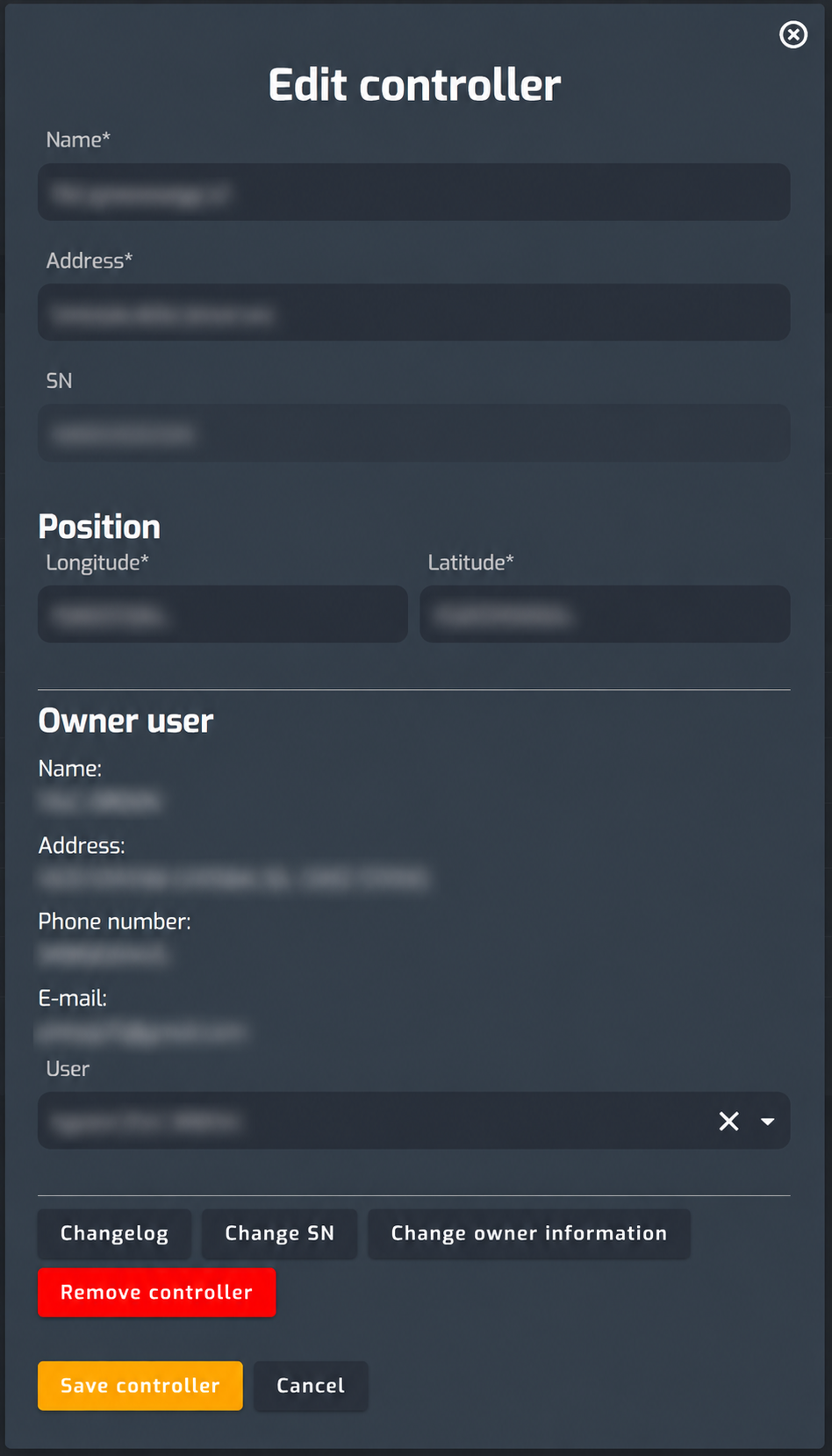
This is different from cancelling the next annual renewal.
Using Remove controller removes the controller from your Partner account immediately and terminates the associated license. The controller can then become available for registration by another service provider.
If you only want to prevent the next annual renewal, while keeping the controller registered until the current license period ends, use the email cancellation process instead.
New controllers
New controllers added during the billing period are also included in the applicable invoicing process. Your invoice may therefore include:
Your invoice may therefore include both:
- Existing controllers that are being renewed
- Newly added controllers
- Other applicable license related fees for the period
Was this article helpful?
That’s Great!
Thank you for your feedback
Sorry! We couldn't be helpful
Thank you for your feedback
Feedback sent
We appreciate your effort and will try to fix the article