OrbiSCADA shows a timeout message
OrbiSCADA will display a timeout message after 10 consecutive minutes where the controller doesn't respond.
The dashboard and controller live page will show a timeout message and the latest timestamp where OrbiSCADA received a response leading up to the timeout.
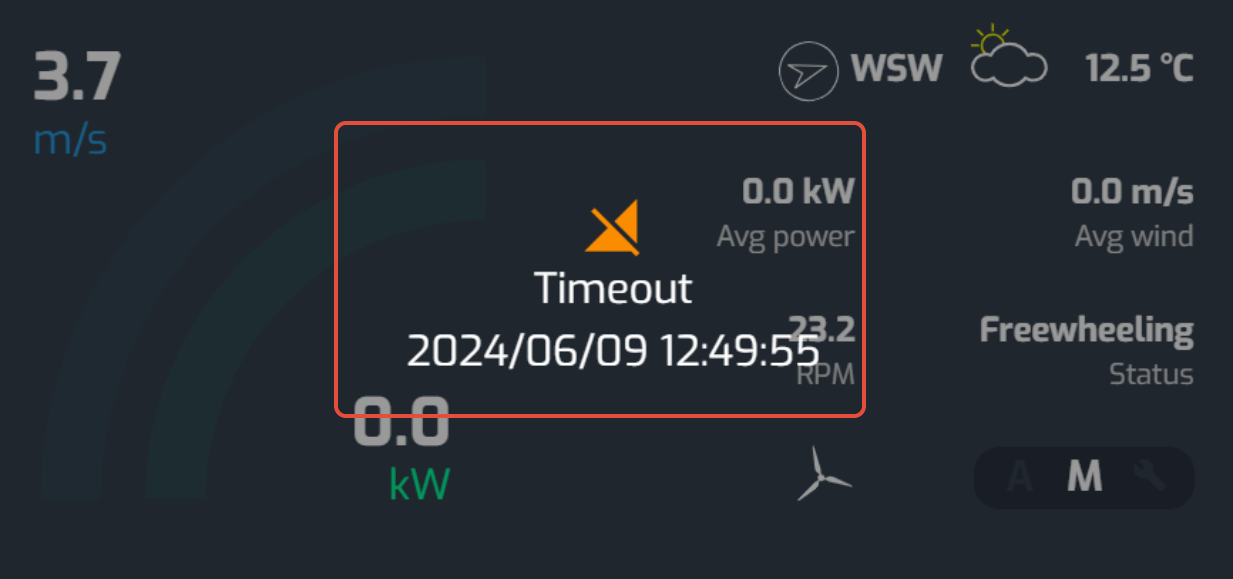
Below you can find common reasons and possible solutions to resolve a timeout error
Common causes and what to check
| Area | What to check |
| Cable connections | Confirm all connections at the grid, contactors, and TMC-3 are tight and secure. |
| Hardware | Inspect the controller, modem, and antenna for physical or moisture damage. |
| SIM card | Verify the SIM card is active and the APN/HNI settings match the provider. See Install a SIM card. |
| Mobile network | Check the SIM provider's status page, they often report regional outages there. |
| Weather | After storms or lightning, inspect the electrical installation and circuit breakers. |
Was this article helpful?
That’s Great!
Thank you for your feedback
Sorry! We couldn't be helpful
Thank you for your feedback
Feedback sent
We appreciate your effort and will try to fix the article